Non-profit organizations operate with a unique mission—serving communities, managing donors, running programs, handling volunteers, and creating measurable social impact. But to achieve all this efficiently, they need a reliable CRM for non-profits that centralizes data, boosts productivity, and reduces administrative burdens.
While platforms like Salesforce CRM for non-profits and Zoho CRM for non-profits exist, most NGOs, charities, community groups, and foundations struggle with subscription costs, data limitations, and vendor lock-in.
This is why an open source CRM for non-profits, preferably self-hosted and free, has become the most flexible and cost-effective choice for mission-driven organizations in the USA, UK, and globally.
What Is a Non-Profit CRM?
A CRM for non-profits is a centralized platform designed to manage all aspects of an organization’s operations, including donors, volunteers, staff, beneficiaries, programs, attendance, communication, reporting, events, and fundraising. It streamlines critical functions such as donor management, grant tracking, volunteer coordination, program delivery, case management, communication automation, reporting and compliance, and impact measurement. Unlike traditional business CRMs, which focus primarily on sales and customer pipelines, a non-profit CRM emphasizes building and nurturing relationships, enhancing community outreach, improving fundraising efficiency, and supporting effective service delivery.
Why Non-Profits Need an Open Source, Self-Hosted CRM
Many NGOs in the USA and UK are increasingly adopting open-source CRMs for non-profits because these systems offer full control over their data, eliminate licensing fees, and provide customizable modules tailored to their specific social programs. They also ensure a high level of privacy and compliance, which is crucial when working with vulnerable populations, and help organizations avoid vendor dependency. In addition, self-hosted CRMs allow for unlimited users and records, offer the flexibility to customize the software to unique workflows, deliver better performance, and can easily integrate with ERP systems, communication platforms, and donor portals, making them a powerful tool for efficient and secure nonprofit management.
Core Features of the Best CRM for Non-Profits
- – Contact & Constituent Management: Centralizes donor, beneficiary, volunteer, and member profiles.
- – Case & Program Tracking: Tracks assessments, goals, plans, workflows, and support activities.
- – Donor Management & Fundraising Tools: Helps manage donations, campaigns, tax receipts, and giving histories.
- – Attendance & Check-In/Out Systems: Useful for community centers, clubhouses, support groups, schools, and rehabilitation centers.
- – Budget and Financial Tracking: Helps keep transparency for grants, donations, and funding.
- – Reports & Insights: Visual dashboards, impact reports, and compliance-ready reports.
- – User Roles and Access Control: Ensures sensitive data remains protected.
- – Automation: Automatically sends reminders, follow-ups, or reachouts.
Most commercial CRM tools charge heavily for these features. This is where open source self-hosted CRM becomes a practical option.
Best Free & Open Source CRMs for Non-Profits
Here are the most commonly used free or open source platforms:
1. CiviCRM
CiviCRM is a widely used nonprofit CRM designed specifically for donor management and event tracking. It helps organizations efficiently manage supporter information, streamline fundraising efforts, and organize events, making it an essential tool for effective nonprofit operations.
2. SuiteCRM
SuiteCRM is a fully open-source, enterprise-level CRM that is frequently customized for nonprofit organizations to manage case management and attendance workflows. Its flexibility allows nonprofits to tailor the system to their specific programs, streamline operations, and maintain comprehensive records of members, donors, and activities.
3. Odoo
Odoo is a modular, open-source ERP and CRM platform widely used by NGOs to manage donor engagement, human resources, and project workflows. Its flexible modules allow nonprofits to customize the system according to their specific operational needs while maintaining efficiency and transparency across programs.
4. Givebutter
Givebutter is a completely free fundraising and donor CRM designed specifically for non-profits. It provides organizations with the tools to manage donations, track supporters, and run campaigns efficiently without any licensing costs, making it an ideal solution for budget-conscious nonprofits.
5. Dolibarr
Dolibarr is an open-source CRM and ERP solution that combines project tracking, financial management, and donor record keeping in a single platform. Its flexible modules make it suitable for nonprofits seeking a cost-effective system to manage both operational and fundraising activities efficiently.
DevDiligent’s Open Source CRM for Non-Profits (Detailed Review + Demo Features)
DevDiligent has developed a powerful, fully customizable CRM designed specifically for non-profits, especially those operating clubhouses, community centers, mental health programs, rehabilitation support groups, foundations, and human services organizations.
Below is a comprehensive breakdown of the actual sidebar modules and features included in the DevDiligent Non-Profit CRM demo for Clubhouse-style organizations.
1. Contact Management (Highly Detailed & Multi-Layered)
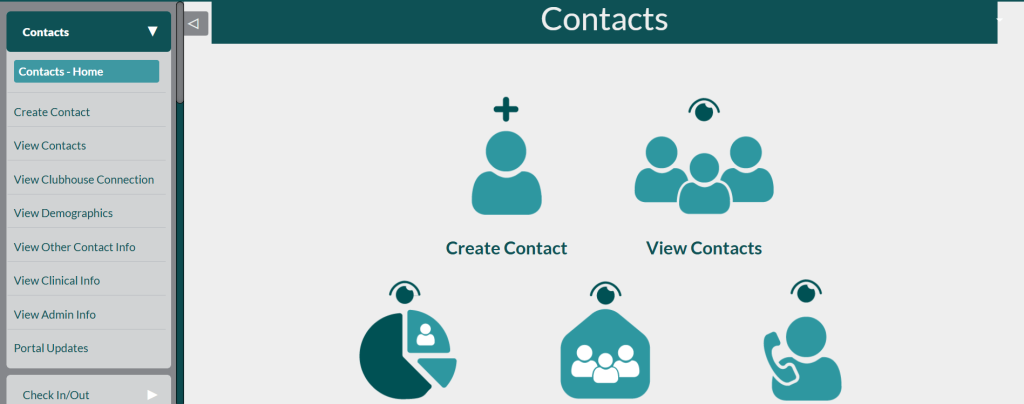
The Contacts module in the CRM includes a comprehensive set of drop-down options that allow users to view Clubhouse connections, access contact details, review clinical information, navigate to the Contacts Home, create new contacts, and examine demographics. It also provides access to other contact information, administrative details, and portal updates, offering a centralized and organized way to manage all member-related data efficiently.
How It Helps
This module is ideal for caseworkers, social service providers, nonprofit counselors, and community coordinators, as it allows them to store complete beneficiary and participant profiles. It is particularly well-suited for mental health clubhouses, youth organizations, and disability support centers, providing a centralized platform to manage member information efficiently and securely.
2. Check-In/Out System
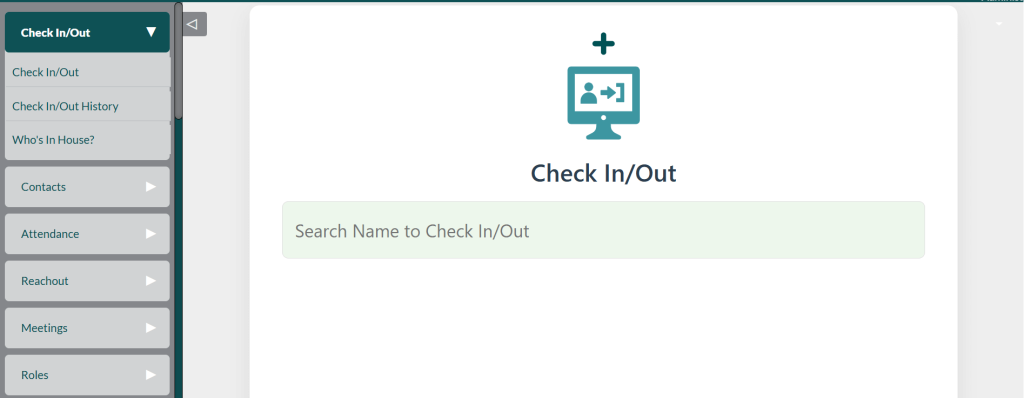
The Check In/Out module provides functionality to record member check-ins and check-outs, review the complete check-in history, and see who is currently in the facility. This allows staff to efficiently manage daily attendance, monitor real-time presence, and maintain accurate records for reporting and safety purposes.
Real Use Case
A community clubhouse wants to track which members are in the facility at any given time for safety, capacity management, attendance documentation, and grant reporting. This module is designed specifically to support all of those needs in a single, streamlined system.
3. Attendance Management
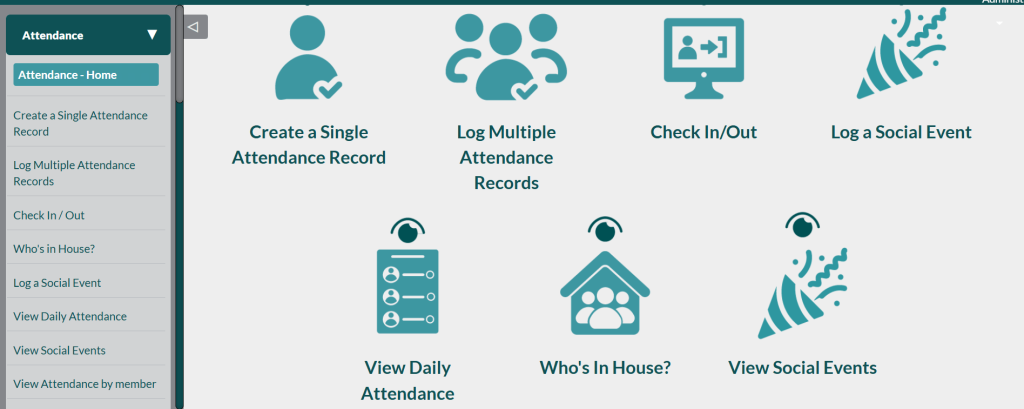
The Attendance Management feature lets staff create a single attendance record, log multiple records at once, and record social events alongside regular visits. It also provides convenient views such as daily attendance, social events, attendance by member, and attendance by date, plus a real-time, “Who’s In House?” view so teams always know who is currently on-site.
Real Use Case
For a youth NGO running daily programs, maintaining accurate attendance is essential to track participation, meet funding requirements, and generate monthly or annual impact reports. DevDiligent CRM simplifies this process by automating attendance management, making it easy for staff to record, monitor, and analyze participation efficiently.
4. Reachout Module
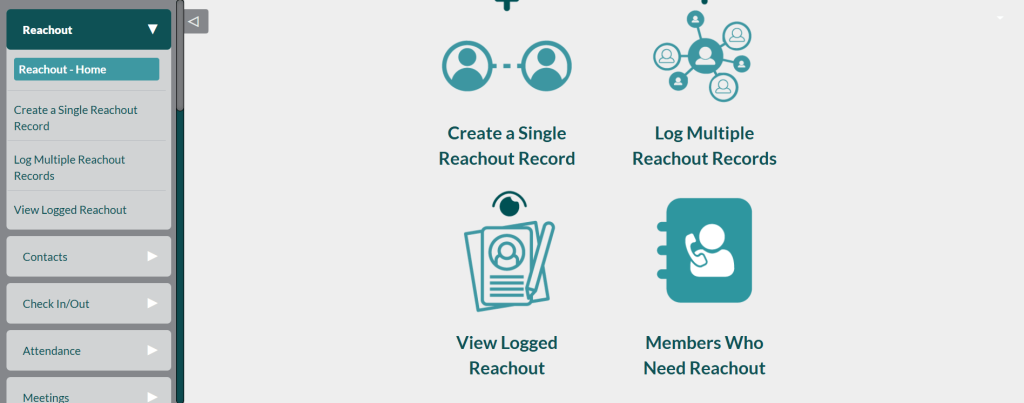
The Reachout Module centralizes all outreach activity in one place, starting from the Reachout Home screen where staff can quickly navigate key actions. Team members can create a single reachout record for an individual contact or log multiple reachout records in bulk when they complete a round of calls, messages, or visits. They can then review all logged reachouts and use the “Members Who Need Reachout” view to prioritize follow-ups for people who have not been contacted recently or who require extra support.
Real Use Case
For mental health support groups and rehabilitation programs, follow-up is critical to ensure that no member is overlooked. This feature allows support workers to record every interaction, including calls, visits, texts, check-ins, and follow-ups, providing a complete history that helps track progress and deliver consistent, personalized care.
5. Meetings Management
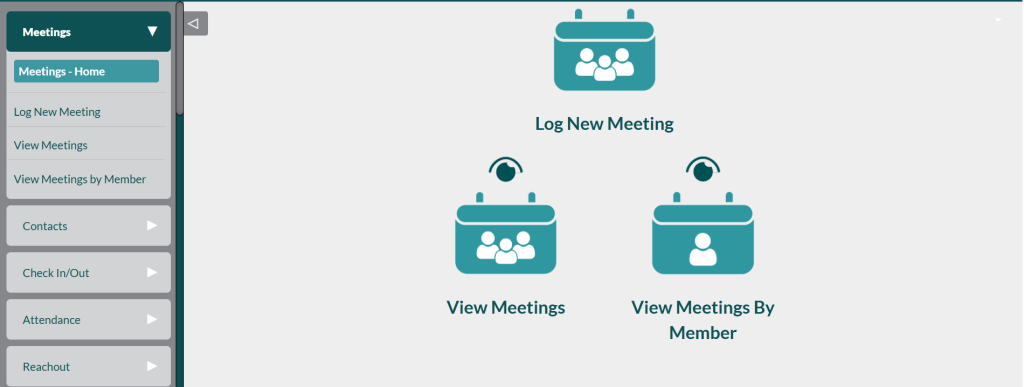
The Meetings Management module provides a centralized hub for organizing and tracking all meetings. Users can access the Meeting Home, log new meetings, view upcoming and past meetings, and even filter meetings by individual members, ensuring efficient coordination and clear documentation across the organization.
Useful for:
This module is particularly useful for organizing peer meetings, case worker sessions, therapy groups, and support circles. It enables staff to efficiently schedule, track, and manage these gatherings, ensuring that each session is documented and participants receive consistent support.
6. Roles Module
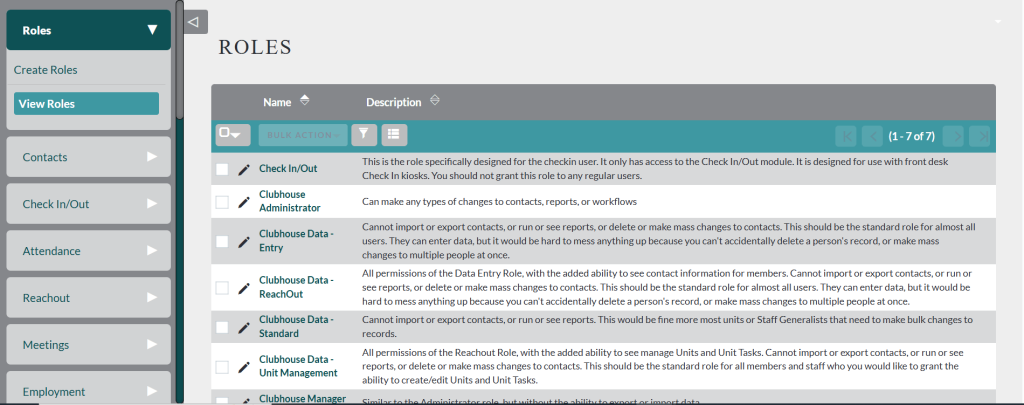
The Roles Module lets administrators create roles and then view and manage the full list of existing roles in one place. By defining roles centrally, organizations can control who can access specific areas of the CRM and align permissions with staff responsibilities and governance needs.
Used for:
This module is used to manage program-based roles, volunteer responsibilities, and staff assignments. It allows organizations to define, track, and oversee each role, ensuring accountability, clear task allocation, and efficient team coordination across all programs.
7. Employment Tracking
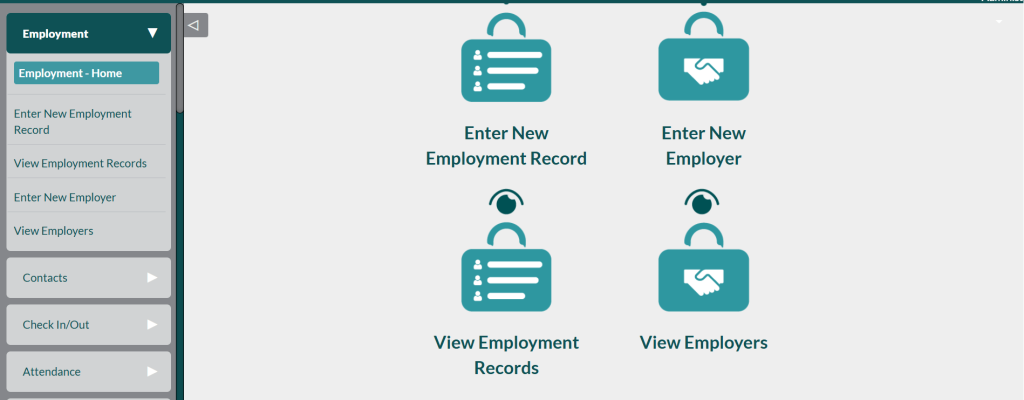
The Employment Tracking module helps nonprofits manage employment-related information for members and program participants. Users can access the Employment Home, enter new employment records, view existing records, add new employers, and review employer details, providing a comprehensive view of employment data and supporting workforce development initiatives.
Real Use Case
Clubhouse models often help members find jobs and build long‑term careers in the community. This Employment Tracking module records employment milestones, tracks relationships with employers, logs job placements, and monitors each member’s progress over time, giving staff a clear view of how well their employment supports are working.
8. Unit Tasks
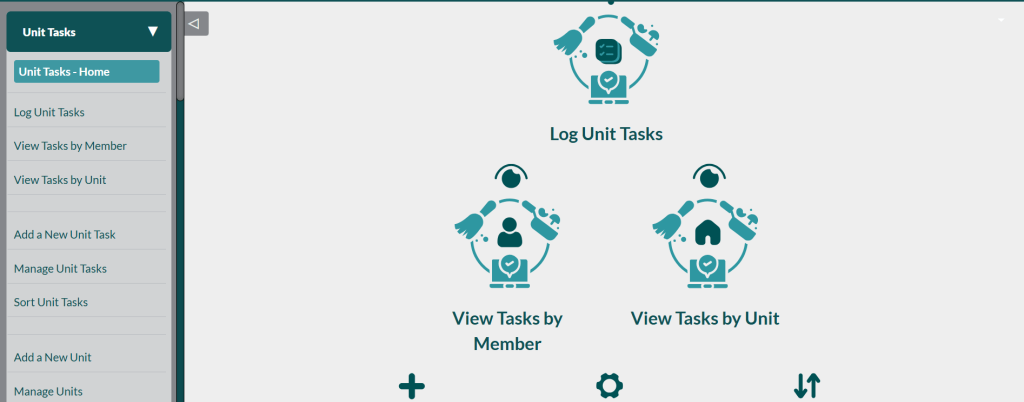
The Unit Tasks module provides a comprehensive system for managing tasks within units or programs. Users can access the Unit Tasks Home, log tasks, view tasks by member or unit, add new tasks, manage and sort existing tasks, and create or manage units. This module is ideal for internal management and organizing community programs efficiently, ensuring that all responsibilities are tracked and executed effectively.
9. Goals & Plans
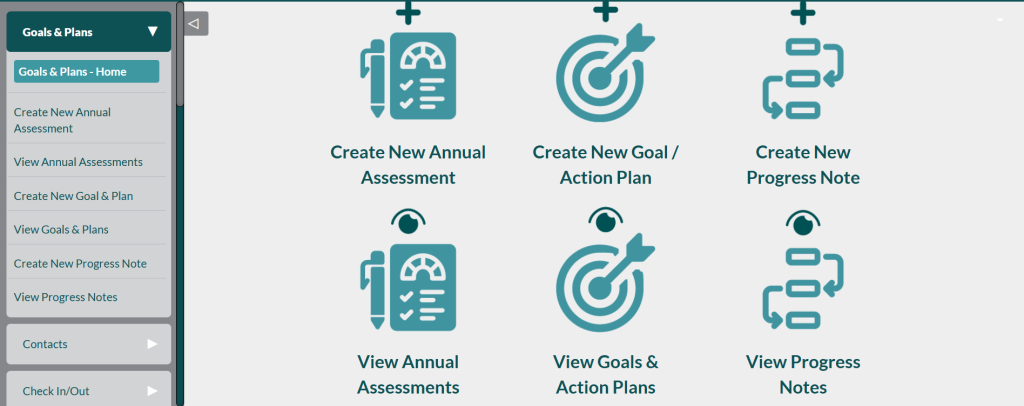
The Goals & Plans module enables nonprofits to set, track, and evaluate program objectives and participant progress. Users can create annual assessments, establish new goals and plans, view existing goals, record progress notes, and review past progress, providing a structured approach to monitor outcomes and ensure continuous improvement.
Real Use Case
Used by counselors, case managers, support workers, and employment coaches, this module tracks each member’s development and the support strategies used over time. It gives staff a shared view of progress, helping them coordinate services and adjust plans based on real data rather than guesswork.
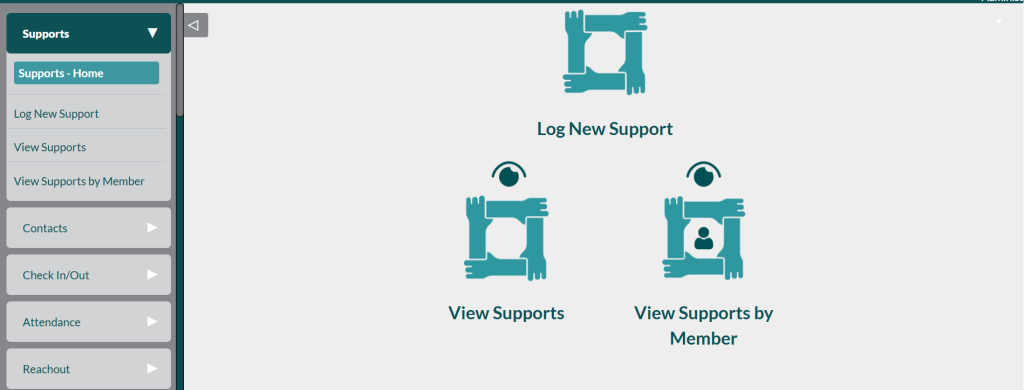
10. Supports Module
The Supports module allows organizations to log new support interventions, view all recorded supports, and filter them by individual members. It provides a clear and organized way to track every support activity, ensuring that participants receive consistent care and follow-up.
11. Budget Tracking
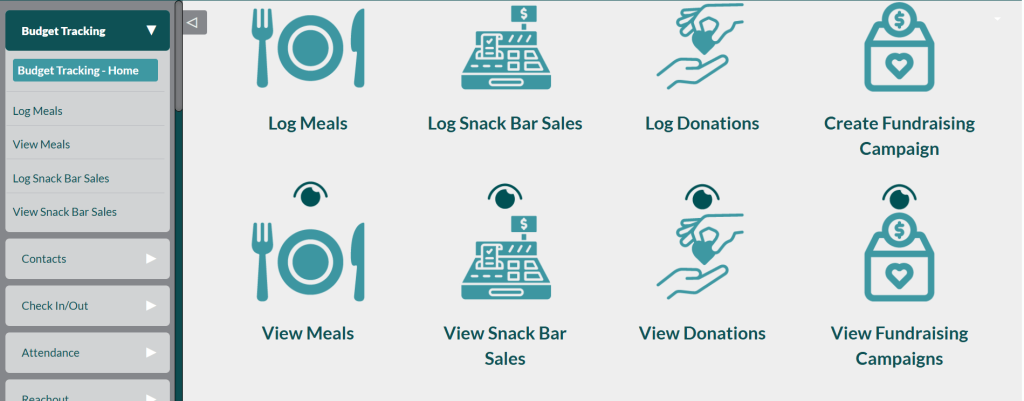
The Budget Tracking module helps nonprofits log meals, snack bar sales, donations, and fundraising campaigns in one place, creating a clear picture of everyday income and program costs. It centralizes small but important transactions that often slip through spreadsheets, making it much easier to monitor budgets, report to funders, and plan future activities. This makes it a perfect fit for community centers, shelters, and small NGOs that need lightweight but reliable financial tracking built into their CRM.
12. Wellness Module
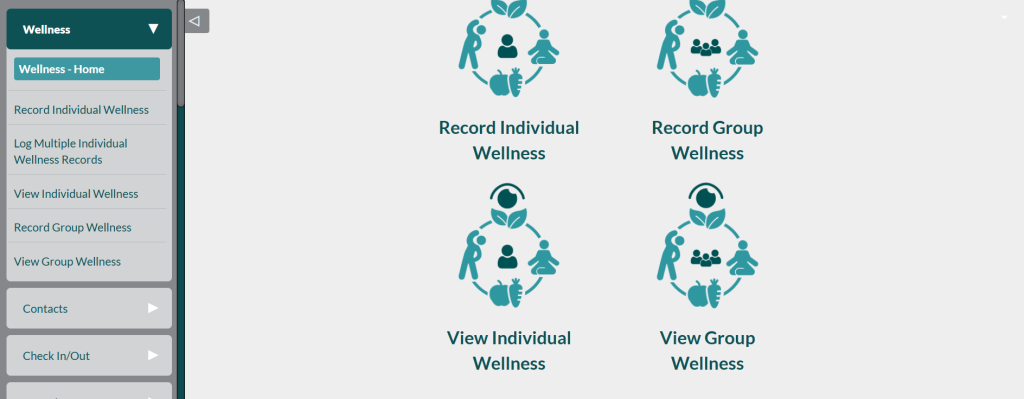
The Wellness Module helps nonprofits and community programs systematically track how participants are doing over time. Staff can record individual wellness updates, log multiple wellness records in one action after a group session, review historical wellness logs, and capture group wellness for classes, circles, or workshops. This gives caseworkers and coordinators a clearer picture of trends in mental health, wellbeing, and program impact, all from within the CRM.
Supports non-profits working with:
This module is particularly beneficial for nonprofits focused on mental health, wellbeing programs, and fitness education. It enables organizations to monitor and manage support services effectively, ensuring that participants receive consistent guidance and care across all initiatives.
13. Education Module
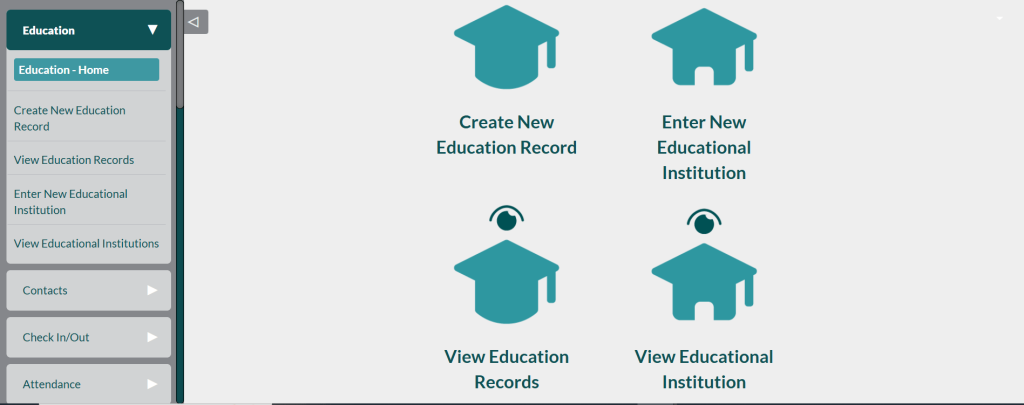
The Education Module helps nonprofits and community organizations keep a clear record of each member’s educational journey. Staff can create education records for individuals, view all existing education records, add new educational institutions, and browse the list of institutions the organization partners with. This makes it easier to track school enrollment, training programs, certifications, and other learning milestones directly inside the CRM.
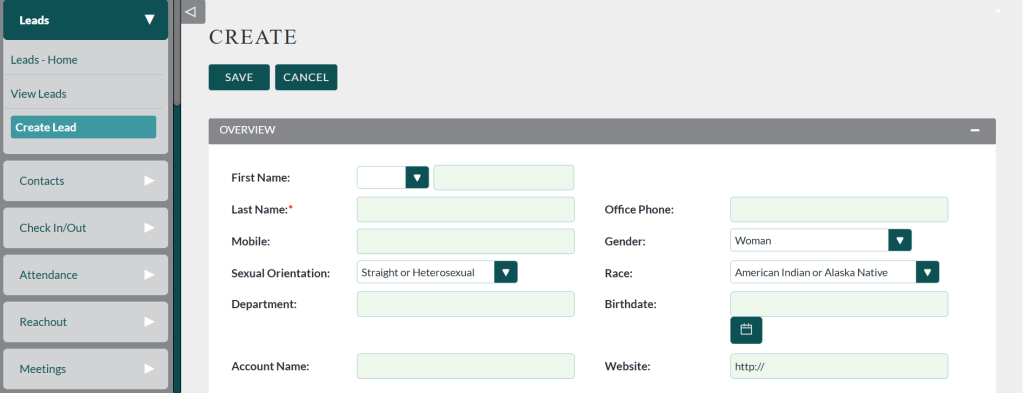
14. Leads Module
The Leads module allows users to view existing leads and create new ones, making it an essential tool for managing potential donors, volunteers, corporate partners, and other collaborators. It helps nonprofits track and nurture relationships that are critical for growth and community engagement.
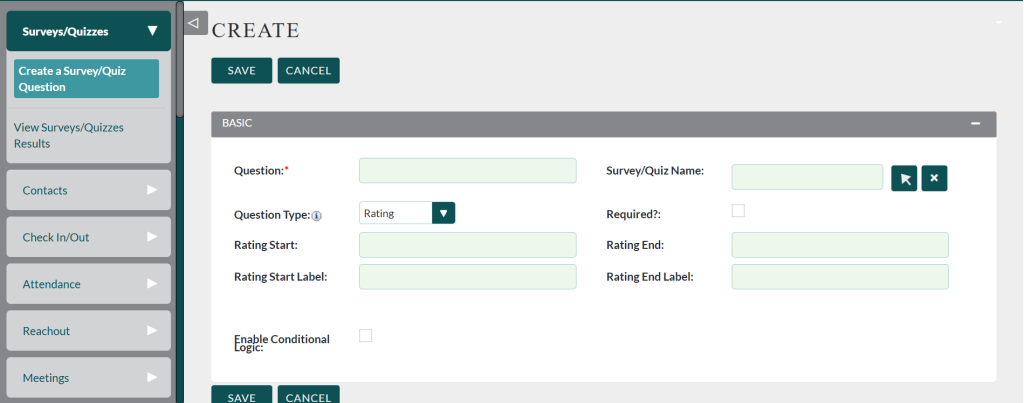
15. Surveys & Quizzes
The Surveys & Quizzes module lets staff create survey or quiz questions, define possible answers, and then review the results in one place. Teams can use it to evaluate member progress, gather structured feedback after programs or events, or run assessments that inform care plans and program design. This turns the CRM into a lightweight evaluation and feedback tool instead of relying on separate survey systems
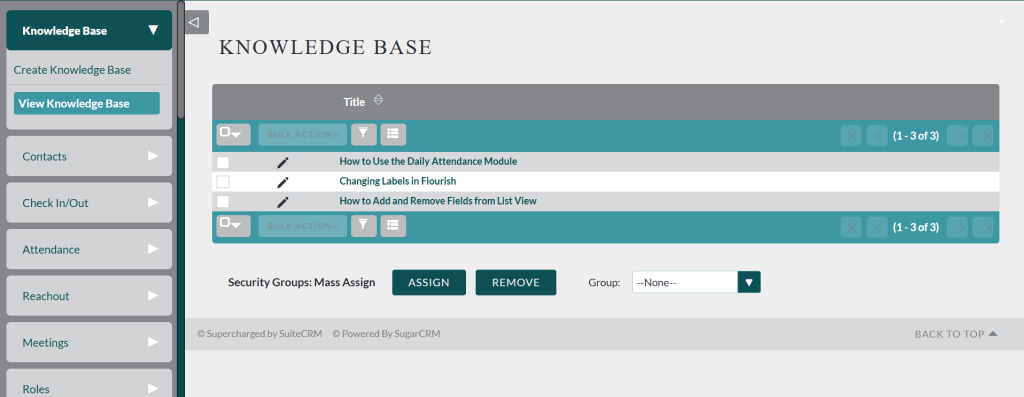
16. Knowledge Base
The Knowledge Base module enables organizations to create and view a centralized repository of information. It is especially useful for storing documentation, policies, training materials, and other reference resources, ensuring that staff and volunteers have easy access to essential knowledge.
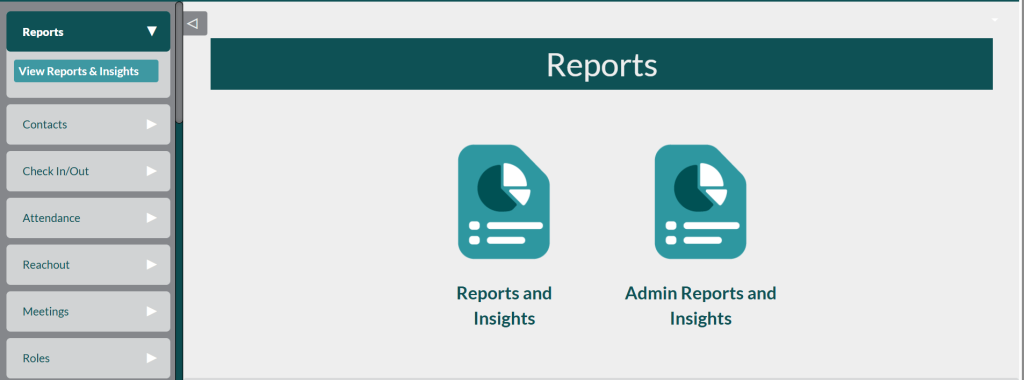
17. Reports & Insights
The Reports & Insights module allows users to view detailed reports and analytics, supporting board reporting, grant reporting, monthly program analysis, and overall performance tracking. It provides nonprofits with the data they need to make informed decisions and demonstrate impact to stakeholders.
18. Administration Panel
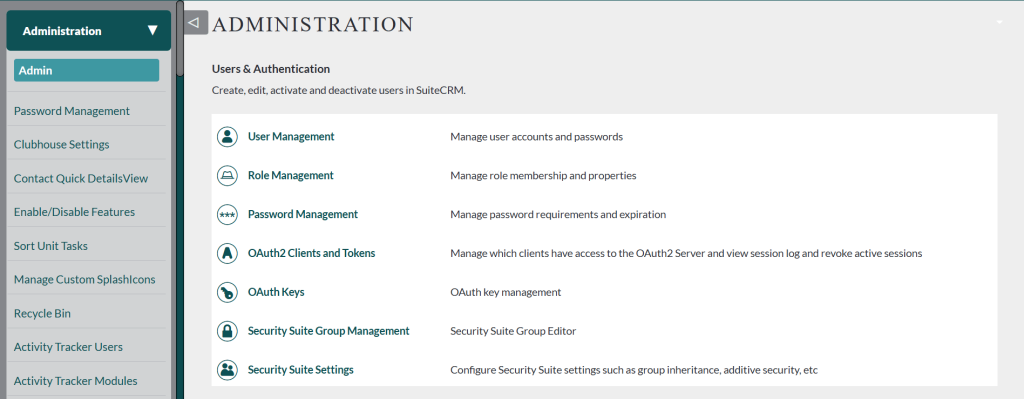
The Administration Panel gives system administrators complete control over how the CRM behaves and looks. It includes tools for password management, clubhouse settings, enabling or disabling features, tracking user activity, configuring custom splash icons, managing backups, loading new modules, running the upgrade wizard, adjusting system configurations, and fine‑tuning multi‑attendance and reachout settings. Together, these options allow organizations to fully customize the platform to their governance, security, and workflow needs.
Why DevDiligent’s Custom CRM Is Different From Other Free CRM Solutions
This CRM is built specifically for non‑profits rather than as a generic business tool, so its data structures and workflows align with real program work instead of sales pipelines. It is free, open‑source, and self‑hosted, which means organizations avoid hidden costs and forced paid add‑ons while retaining full control over their infrastructure. The platform includes extremely detailed modules tailored for program‑based non‑profits such as clubhouses, and it scales for USA and UK organizations with support for multiple currencies, languages, and custom workflows that match local requirements.
Comparison: Open Source CRM vs Salesforce vs Zoho for Non-Profits
Feature | Salesforce Non-Profit | Zoho Non-Profit | |
Cost | Free | Paid | Paid |
Self Hosted | Yes | No | No |
Customization | Unlimited | Limited | Medium |
Data Ownership | Full | Shared Cloud | Shared Cloud |
Best For | Budget-conscious orgs | Large orgs | Medium orgs |
Final Thoughts: The Future of CRM for Non-Profits
Open‑source, self‑hosted technologies now let non‑profits move away from expensive commercial CRMs and regain control over their data and budgets. A custom‑built CRM gives organizations full flexibility, lifetime ownership, stronger outcomes, better reporting, and deeper community impact that aligns with their mission. As a result, more organizations are choosing DevDiligent and other open‑source customization partners to build CRMs that match their specific operational workflows and long‑term goals.
FAQ’S Related to CRM for Non-Profits
1. What is the best CRM for a nonprofit organization?
The best CRM depends on your organization’s size and needs. For nonprofits that want full control and customization, an open-source self-hosted CRM is ideal. Many nonprofits choose custom-built solutions from DevDiligent, because they offer tailored workflows, donor tracking, attendance management, and advanced reporting without recurring subscription costs.
2. What is a CRM for a nonprofit organization?
A nonprofit CRM (Constituent Relationship Management) is software that helps organizations manage donor data, supporters, volunteers, program members, outreach efforts, fundraising, attendance, and reporting—all in one centralized system.
3. Is there a free CRM for nonprofits?
Yes. Several free and open-source CRMs exist, such as SuiteCRM, CiviCRM, and ERPNext. Many nonprofits also use DevDiligent’s custom CRM, built on open-source technology and adapted to their exact workflows without licensing fees.
4. What is the difference between a nonprofit CRM and a regular CRM?
Nonprofit CRMs include specialized modules like:
-
Donor & fundraising management
-
Grant tracking
-
Volunteer coordination
-
Check-in/out
-
Attendance logs
-
Member wellness tracking
-
Program outcomes reporting
These features are not available in typical sales-focused CRMs.
5. What are the advantages of using an open-source CRM for nonprofits?
Open-source CRMs offer:
-
Zero licensing or per-user fees
-
Full data ownership
-
Unlimited customization
-
Scalability for any program model
-
Ability to self-host safely and privately
-
Integration with donation platforms and community tools
This makes them budget-friendly and ideal for nonprofits with specific processes.
6. Can nonprofits use CRM software for fundraising?
Absolutely. Most nonprofit CRMs include donation tracking, campaign management, pledge management, donor segmentation, and automated thank-you messages. Custom CRMs like those developed by DevDiligent also support advanced budgeting and fundraising analytics.
7. Are open-source CRMs secure enough for nonprofit data?
Yes. When self-hosted with proper server configuration, open-source CRMs can be more secure than many cloud-based SaaS tools because the nonprofit controls where data lives and who can access it.
8. What features should a nonprofit CRM have?
Key features include:
-
Donor & member management
-
Attendance logs
-
Check-in/out tracking
-
Wellness records
-
Program management
-
Fundraising and budget tracking
-
Volunteer management
-
Reporting dashboards
-
Email/SMS outreach tools
-
Custom roles & permissions
DevDiligent’s nonprofit CRM includes all these and more.
9. How does DevDiligent customize CRM for nonprofits?
DevDiligent builds CRMs tailored to each nonprofit’s workflow. Examples include:
-
Clubhouse attendance and wellness tracking
-
Custom reach-out logs
-
Program-specific goals & plans
-
Education & employment modules
-
Multi-attendance configuration
-
Custom surveys and quizzes
-
Role-based access and admin tools
This ensures nonprofits get exactly what they need—no unused modules.
10. Is self-hosting a CRM difficult for nonprofits?
It depends on the organization’s technical skills. Many nonprofits partner with developers like DevDiligent to set up hosting, configure security, deploy updates, and maintain the system. Once deployed, staff can use the CRM easily through a user-friendly interface.