In today’s digital-first business landscape, customer data is most valuable asset. For SMEs, logistics companies, and organizations managing complex workflows, using an open-source CRM like SuiteCRM provides flexibility, cost-efficiency, and scalability. But with great flexibility comes great responsibility: security vulnerabilities in SuiteCRM can compromise entire business operations if not addressed proactively.
This comprehensive SuiteCRM security hardening checklist helps businesses, consultants, and developers protect sensitive data, ensure compliance, and maintain trust with customers in 2026.
Why SuiteCRM Security Matters for Businesses
SuiteCRM is an open-source CRM platform widely adopted across Europe, especially in London, Dublin, Manchester, and Birmingham. Its flexibility allows SMEs to customize workflows, integrate tools, and scale operations without heavy licensing fees. However, the very openness that makes SuiteCRM versatile also introduces security risks:
- 1. Unauthorized access to sensitive customer data.
- 2. Risk of data breaches affecting company reputation.
- 3. Potential downtime due to malware or ransomware attacks.
- 4. Regulatory non-compliance (GDPR, UK Data Protection Act).
For businesses leveraging SuiteCRM consulting and development services, implementing robust security practices is critical not just for IT teams, but for overall business resilience and operational efficiency.
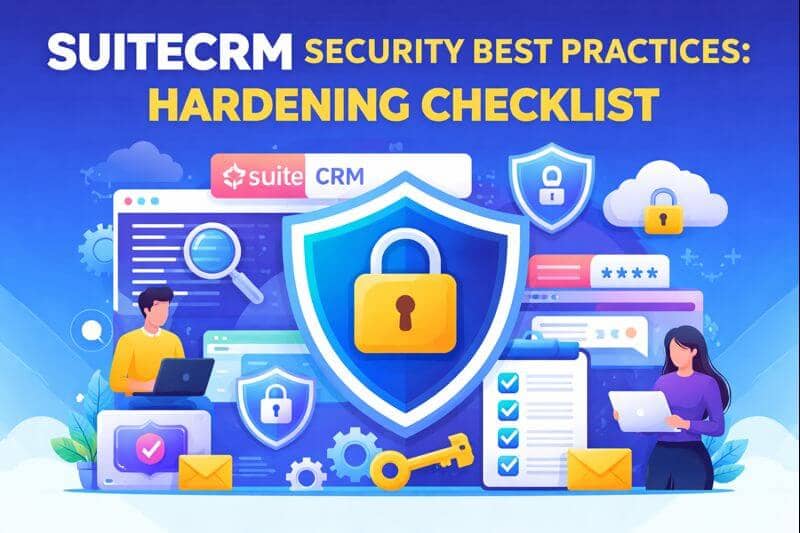
Top SuiteCRM Security Best Practices in 2026
Security isn’t just a checklist—it’s a mindset. From deployment to daily usage, every step matters. Below is a detailed breakdown of SuiteCRM hardening measures:
1. Regular Updates & Patch Management
Keeping SuiteCRM and all associated modules updated is the first line of defense.
| Action | Why It Matters | Recommended Frequency |
| Core SuiteCRM updates | Patches known vulnerabilities | Monthly or immediately after release |
| Module/plugin updates | Prevents exploits from third-party tools | Bi-weekly |
| PHP and server updates | Maintains compatibility and security | Quarterly |
Use automatic update notifications or a dedicated SuiteCRM consultant to stay ahead of vulnerabilities.
2. Strong User Authentication
Weak credentials are the most common entry point for attackers.
- 1. Enforce complex passwords with uppercase, lowercase, numbers, and special characters
- 2. Implement two-factor authentication (2FA) for admins and power users
- 3. Regularly review and disable inactive accounts
Businesses in London and Dublin often leverage SuiteCRM consultants to implement enterprise-grade authentication workflows that align with local compliance standards.
3. Role-Based Access Control (RBAC)
Not all users need full access. Implementing RBAC ensures sensitive data is only available to authorized personnel:
- 1. Define roles for sales, support, marketing, and admins.
- 2. Limit module access based on responsibilities.
- 3. Audit user activities regularly to detect abnormal patterns.
Protect business data from internal threats without slowing down workflows.
4. Database Security
SuiteCRM stores all data in MySQL or MariaDB databases. Hardening the database is critical:
- 1. Use strong, unique database passwords.
- 2. Restrict database access to only the SuiteCRM application server.
- 3. Enable encrypted connections (SSL/TLS) for database access.
- 4. Regularly perform database backups and test restores.
We assist SMEs in Manchester and Dublin with secure database setups as part of open source CRM integration services, ensuring business continuity.
5. Secure Hosting Environment
Business server environment must be hardened alongside SuiteCRM:
- 1. Disable unnecessary services on the server.
- 2. Use HTTPS with a valid SSL certificate.
- 3. Ensure PHP and Apache/Nginx security best practices are in place.
SuiteCRM implementation for SMEs UK” often includes hosting security, a factor many businesses overlook.
6. Encryption & Data Protection
Data should always be encrypted:
- 1. Enable encryption for sensitive fields in SuiteCRM.
- 2. Use HTTPS for all web traffic.
- 3. Implement disk-level encryption on servers storing CRM backups.
Customers searching for “SuiteCRM cost Dublin SMEs” also prioritize security investments for long-term savings.
7. Monitoring & Auditing
Proactive monitoring helps detect suspicious activity before it escalates:
- 1. Enable SuiteCRM audit logs.
- 2. Monitor login attempts, failed access, and module changes.
- 3. Use SIEM tools for enterprise-level monitoring.
DevDiligent provides SuiteCRM support in Manchester with audit monitoring services that alert teams about security anomalies in real time.
8. Regular Backups
Data loss can be catastrophic. Maintain redundant, encrypted backups:
| Backup Type | Frequency | Storage Recommendation |
| Full system | Daily | Off-site or cloud encrypted storage |
| Incremental | Hourly | Local encrypted server |
| Configuration files | Weekly | Off-site or cloud |
Avoid costly downtime and compliance issues by incorporating open source CRM consulting services for backup planning.
9. Secure Integrations & APIs
Many SMEs integrate SuiteCRM with ERP, marketing, and analytics platforms:
- 1. Validate and monitor all API integrations.
- 2. Limit API access with tokens and restricted permissions.
- 3. Regularly review third-party plugins for vulnerabilities
Businesses in Birmingham logistics leveraging open source CRM integration find these measures essential for operational security.
10. Employee Training & Security Awareness
Even the best systems fail if staff aren’t trained:
- 1. Conduct security awareness workshops.
- 2. Educate staff on phishing, social engineering, and secure password practices.
- 3. Make security part of daily CRM usage policies.
SMEs relying on SuiteCRM consultants London often combine technical hardening with employee training for maximum protection.
SuiteCRM Security Checklist Summary Table
| Area | Best Practices | Recommended Action |
| Updates | Core & modules | Monthly or immediate patching |
| Authentication | Strong passwords, 2FA | Enforce for all users |
| Access Control | RBAC | Limit module access by role |
| Database | SSL, strong passwords | Restrict to CRM server only |
| Hosting | Firewall, HTTPS, disable unused services | Quarterly security audit |
| Encryption | SSL, field encryption | Encrypt backups & sensitive fields |
| Monitoring | Audit logs, SIEM | Daily review of anomalies |
| Backup | Full, incremental | Off-site encrypted storage |
| Integrations | API validation | Tokenized, limited permissions |
| Training | Employee awareness | Workshops & policy enforcement |
How DevDiligent Helps SMEs Implement SuiteCRM Security
At DevDiligent, we specialize in SuiteCRM consulting, development, and integration. Our experts help SMEs across London, Dublin, Manchester, and Birmingham implement security best practices tailored to business needs. Here’s how we make a difference:
- 1. Comprehensive Security Audits: Identify vulnerabilities across SuiteCRM modules, server environments, and databases.
- 2. Custom Hardening Solutions: Implement role-based access, authentication, and monitoring for maximum protection.1
- 3. Open Source CRM Consulting: Guide businesses on secure implementation, integrations, and workflow optimization.
- 4. 24/7 Support & Maintenance: Ensure CRM remains secure, up-to-date, and resilient against threats.
SuiteCRM partners” and “SuiteCRM consultants London” can rely on DevDiligent for full-scale security and implementation support.
User-Focused Best Practices for 2026
With cyber threats evolving, it’s not enough to simply install SuiteCRM. SMEs must adopt a continuous security mindset:
- 1. Conduct quarterly penetration testing.
- 2. Regularly update security policies and SOPs.
- 3. Leverage cloud security tools for hybrid deployments.
- 4. Maintain regulatory compliance (GDPR, ISO 27001).
Businesses searching for SuiteCRM implementation for SMEs UK benefit from combining technology hardening with compliance readiness.
Final Thoughts
SuiteCRM security is not optional—it’s essential for business growth, trust, and compliance. By following the hardening checklist above, SMEs, logistics companies, and enterprises can reduce risks, protect sensitive data, and optimize CRM operations.Partnering with DevDiligent ensures businesses receive expert SuiteCRM consulting, development, and integration, combined with practical security strategies tailored for London, Dublin, Manchester, and Birmingham SMEs. Secure CRM today to future-proof business, enhance operational efficiency, and maintain customer trust well into 2026 and beyond.